College Football IPTV: How to Watch NCAA Games (2026)
Watch every NCAA college football game with IPTV. Channels, devices, multi-screen tips, and setup guide for the 2026 season.

College football fans can watch every NCAA game using IPTV. From the College Football Playoff to regular-season conference matchups, IPTV gives access to all the channels you need. This guide covers channels, devices, and setup tips for the 2026 season.
Disclaimer: This website does not sell IPTV services and is not affiliated with any IPTV provider. This is an informational guide only.
💡 Key Takeaways
- IPTV carries ESPN, FOX, ABC, CBS, SEC Network, Big Ten Network, and more
- Watch every FBS game without an expensive cable package
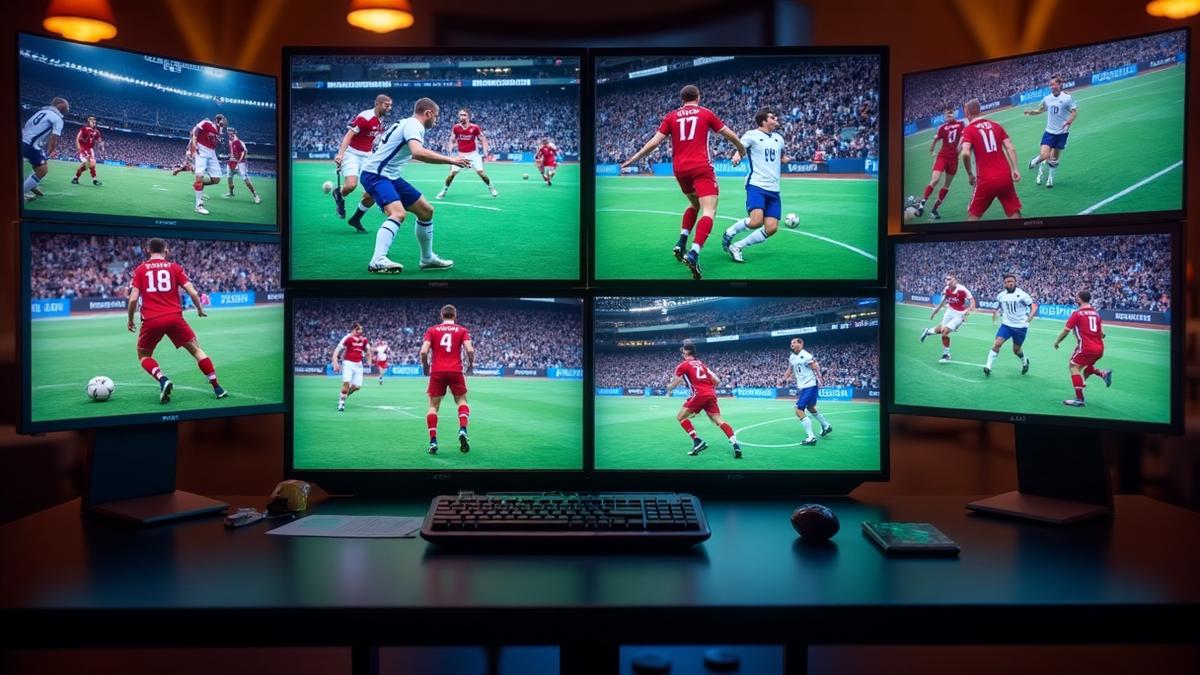
- Multi-screen viewing lets you follow multiple games at once
- Most IPTV services cost $15–25/month vs $100+/month for cable
What Is College Football IPTV?
College football IPTV streams NCAA games over the internet. It replaces cable TV with a cheaper, more flexible option. You get the same channels but pay a fraction of the price.
IPTV providers carry all major networks that broadcast college football. This includes ESPN, FOX, ABC, CBS, and conference-specific networks. If you're new to streaming, check out our complete IPTV guide to understand how it works.
Unlike cable, IPTV works on any device with an internet connection. You can watch on your TV, phone, tablet, or computer. Most services also support multiple screens at once — perfect for following several games on a Saturday.
Why IPTV for College Football?
Channels for NCAA Football
NCAA football games air on many different channels. A good IPTV provider carries all of them. Here are the key networks you need:
- ESPN / ESPN2 / ESPNU: Main home for college football. Carries most weeknight games and major matchups.
- ABC: Saturday afternoon and primetime games, including top-25 matchups.
- FOX / FS1 / FS2: Big Ten and Big 12 conference games, plus the Big Noon Kickoff.
- CBS / CBS Sports Network: SEC games and select FBS matchups.
- SEC Network: All Southeastern Conference games not on ESPN or CBS.
- Big Ten Network: Big Ten conference games and studio shows.
- ACC Network: Atlantic Coast Conference coverage.
- NBC / Peacock: Notre Dame home games and Big Ten coverage.
Most top-rated IPTV providers include all of these channels. Some also carry regional sports networks for local team coverage.
| Network | Conference Focus | Key Games |
|---|---|---|
ESPN/ABC | All conferences | CFP, Bowl Games, Primetime |
FOX/FS1 | Big Ten, Big 12 | Big Noon Kickoff |
CBS | SEC | SEC Game of the Week |
SEC Network | SEC | Conference matchups |
Big Ten Network | Big Ten | Conference matchups |
ACC Network | ACC | Conference matchups |
IPTV vs Cable for College Football
Cable TV has been the traditional way to watch college football. But IPTV offers significant advantages. Here's how they compare:
IPTV Advantages
- All conference networks included for $15–25/month
- Watch on multiple screens at once
- No contract — cancel anytime
- Works on any device with internet
- Access to international sports channels too
IPTV Limitations
- Requires stable internet connection (25+ Mbps)
- Some providers may have brief delays vs live broadcast
- Quality depends on your internet speed
For a detailed breakdown, read our IPTV vs cable comparison. Most fans save $100+ per month by switching from cable to IPTV.
Best Devices for Streaming
You can watch college football on IPTV using many devices. The best choice depends on your setup and preferences.
Top Devices for NCAA Streaming
- Amazon Firestick: Most popular IPTV device. Easy setup and affordable. See our Firestick setup guide.
- Android TV / Google TV: Built-in support for most IPTV apps. Check our Android TV apps guide.
- Smart TVs: Samsung, LG, and Sony smart TVs run IPTV apps directly.
- Apple TV: Premium option with smooth streaming. See our Apple TV IPTV guide.
- Gaming Consoles: Xbox and PlayStation support IPTV apps.
Multi-Screen Setup
How to Set Up IPTV for NCAA
Setting up IPTV for college football takes about 5 minutes. Follow these steps to get started:
- Choose a provider: Pick an IPTV service that carries all college football channels. Our best IPTV providers guide ranks the top options.
- Select a plan: Most services offer monthly, quarterly, and annual plans. Multi-connection plans are ideal for watching multiple games.
- Install an IPTV app: Download an app like TiviMate, IPTV Smarters, or the provider's own app.
- Enter your credentials: Use the M3U URL or Xtream Codes login from your provider. Learn more in our M3U playlist guide.
- Set up your EPG: Add the Electronic Program Guide URL to see game schedules. Our EPG guide explains how.
- Start watching: Navigate to the sports section and find your game.
If you run into buffering issues, check out our buffering troubleshooting guide for fixes.
Streaming Tips for Game Day
Get the best viewing experience with these tips:
- Use a wired connection: Ethernet is more stable than WiFi for live sports. Read our bitrate guide for speed recommendations.
- Close background apps: Free up bandwidth for smoother streaming.
- Use a VPN: Protect your privacy and avoid ISP throttling. See our VPN for IPTV guide.
- Set up favorites: Add your team's channels to a favorites list for quick access.
- Test before game day: Make sure everything works before kickoff.
Internet Speed
Find the Best IPTV for College Football
Compare the top 20 IPTV providers with full channel lists, pricing, and ratings.
View Top ProvidersFrequently Asked Questions
Find the Right IPTV Provider
Our expert team has reviewed and ranked the top 20 IPTV services for 2026. Compare features, pricing, and performance to make an informed decision.
Independent reviews • Updated for 2026
Written by
IPTV Reviews Team
Our team of streaming experts is dedicated to helping you find the best IPTV solutions. With years of experience in the industry, we provide in-depth guides, reviews, and tutorials.
You Might Also Like
Best Sports IPTV Packages Compared: Complete Guide (2026)
Compare the best sports IPTV packages. NFL, NBA, soccer, UFC, F1 — all in one guide with channel counts and pricing.

Best IPTV for NFL 2026: Football Streaming Guide
Watch every NFL game without cable. Learn which IPTV channels carry NFL, setup tips, and best devices for football streaming.
Best IPTV Service Providers (2026) — Top 20 Tested
Discover the top 20 IPTV providers in 2026. Compare features, pricing, and channels. Find the perfect streaming service for your needs. Updated reviews.