Apple TV IPTV Guide: AirPlay & Apps Setup
Complete guide to IPTV on Apple TV using App Store apps and AirPlay. IPTV Smarters, GSE Smart IPTV, and iPlayTV compared.
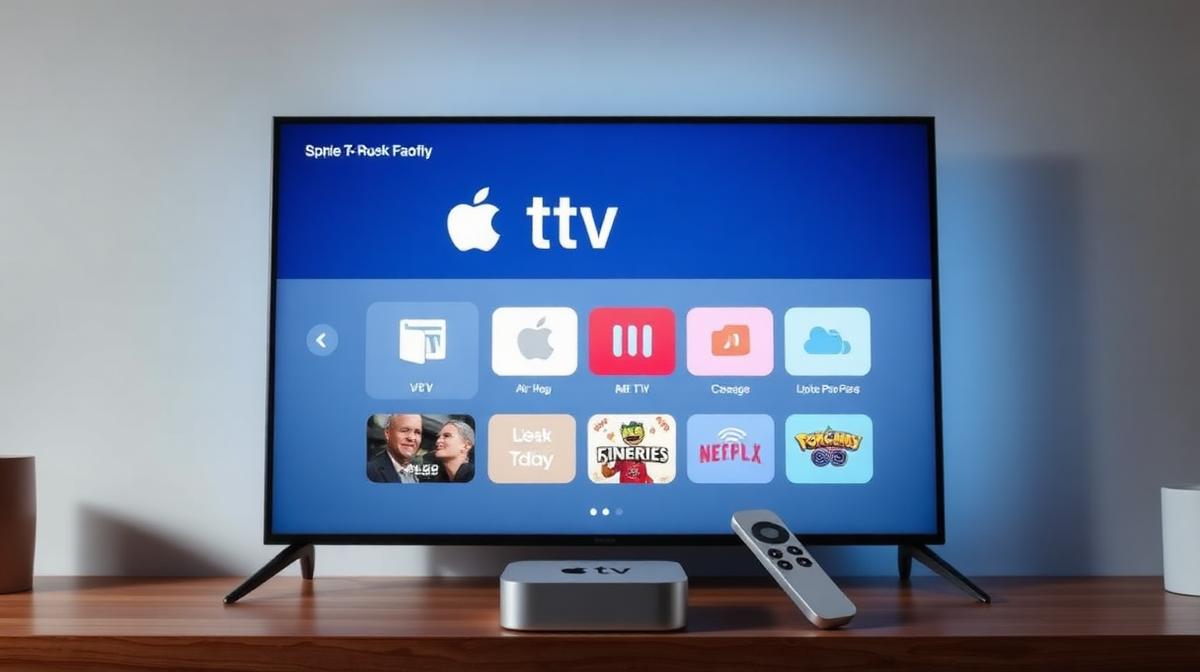
Apple TV is a premium streaming device that works great for IPTV. It supports App Store IPTV players and AirPlay mirroring. This guide covers three methods to set up IPTV on Apple TV 4K and Apple TV HD. We explain each step clearly so anyone can follow along.
🔑 Key Takeaways
- Apple TV supports IPTV through App Store apps and AirPlay
- IPTV Smarters and GSE Smart IPTV are the best Apple TV apps
- AirPlay lets you stream IPTV from iPhone, iPad, or Mac
- Apple TV 4K delivers the smoothest 4K IPTV experience
- Most top IPTV providers work with Apple TV
📌 Disclaimer
Can You Use IPTV on Apple TV?
Yes, IPTV works on Apple TV. The Apple TV App Store has several IPTV player apps. You can also use AirPlay to stream from your iPhone, iPad, or Mac. Apple TV doesn't support sideloading like Amazon Firestick. But the App Store options are solid.
New to IPTV? Start with our beginner's guide to IPTV to understand the basics.
✅ Apple TV for IPTV — Pros
- Premium hardware with fast A15 chip
- 4K HDR and Dolby Vision support
- AirPlay built-in for easy casting
- App Store has several IPTV players
- Siri voice search for channels
- Clean, intuitive tvOS interface
⚠️ Apple TV for IPTV — Cons
- No sideloading — limited to App Store apps
- Higher price than Firestick ($129+)
- No TiviMate — it's Android-only
- Fewer IPTV app choices than Fire OS
Method 1: App Store IPTV Apps (Recommended)
The App Store has IPTV player apps that work natively on Apple TV. This is the best method. The apps are optimized for the Siri Remote and tvOS interface. No extra device is needed.
Open the App Store
Search for an IPTV App
Download and Install
Add Your IPTV Subscription
Start Watching
💡 Remote Tip
Method 2: AirPlay Streaming
AirPlay lets you stream IPTV from any Apple device to your TV. Install an IPTV app on your iPhone, iPad, or Mac. Then cast it to Apple TV wirelessly. This is great if your favorite IPTV app isn't on the Apple TV App Store.
Install an IPTV App on iPhone/iPad
Add Your Subscription
Connect to Apple TV
Start AirPlay
AirPlay also works from Mac. Open the IPTV app in Safari or a desktop player. Click the AirPlay icon in the menu bar and select your Apple TV.
📌 AirPlay Quality
Method 3: Web-Based Player
Some IPTV providers offer web-based players. You can access these through a browser on any device and AirPlay the browser tab to Apple TV. This doesn't require installing any app.
- Open Safari on your Mac or iPhone
- Go to your IPTV provider's web player URL
- Log in with your credentials
- Use AirPlay to cast to Apple TV
This method works but offers the least features. No EPG, no recording, and no favorites. Use it as a backup option.
Best IPTV Apps for Apple TV
We tested all IPTV apps available on the Apple TV App Store. These three perform best:
1. IPTV Smarters — Best Overall
IPTV Smarters is the most popular IPTV app for Apple TV. It supports Xtream Codes and M3U. The interface is clean and works well with the Siri Remote.
- Price: Free (with premium option)
- EPG: Full program guide support
- Login: Xtream Codes and M3U URL
- Quality: Up to 4K resolution
2. GSE Smart IPTV — Best for Features
GSE Smart IPTV offers the most features on Apple TV. It supports multiple playlists, subtitle integration, and Chromecast. The interface is a bit more complex but very powerful.
- Price: Free with ads (Premium removes them)
- Multi-playlist: Add multiple IPTV providers
- Subtitles: Built-in subtitle support
- Player: Built-in VLC engine
3. iPlayTV — Best for tvOS
iPlayTV is designed specifically for Apple TV. It has the most native tvOS experience. The interface matches Apple's design language perfectly.
- Price: $4.99 (one-time purchase)
- Design: Native tvOS interface
- EPG: Beautiful program guide
- Split view: Watch while browsing channels
| Feature | IPTV Smarters | GSE Smart | iPlayTV |
|---|---|---|---|
Price | Free | Free (w/ ads) | $4.99 |
EPG | |||
Multi-Playlist | |||
Recording | |||
tvOS Optimized | Good | Moderate | Excellent |
Best For | Everyone | Power Users | Apple Fans |
Best IPTV Providers for Apple TV
Most IPTV providers work with Apple TV through IPTV Smarters or GSE Smart IPTV. Here are the best ones we've tested:
- CatchOn TV — #1 rated with 24,000+ channels and dedicated app
- 4K Live IPTV — Best for 4K HDR content on Apple TV 4K
- VOD Streaming — 90,000+ movies and series on demand
- Voco IPTV — 99.9% uptime and DVR support
- BestIPTVs — Budget-friendly with 22,000+ channels
For a full comparison with pricing and ratings, visit our complete IPTV provider guide for 2026.
Troubleshooting Apple TV IPTV
Here are common issues and quick fixes for IPTV on Apple TV.
Buffering or Low Quality
- Check your internet speed — need 25 Mbps for HD, 50 Mbps for 4K
- Use Ethernet with the Apple TV 4K (requires USB-C Ethernet adapter)
- Restart your Apple TV: Settings → System → Restart
- Switch to a different channel or server in the IPTV app
AirPlay Not Working
- Make sure both devices are on the same Wi-Fi network
- Restart both the Apple TV and your iPhone/Mac
- Check that AirPlay is enabled: Settings → AirPlay and HomeKit → On
- Update both devices to the latest software
App Crashing
- Update the IPTV app to the latest version
- Delete and reinstall the app
- Restart your Apple TV
- Check if tvOS is up to date
💡 Pro Tip
Want to compare streaming devices? Check our IPTV vs Cable comparison to see why cord-cutting saves money. Or learn about IPTV on other devices like Samsung Smart TV or LG WebOS.
Frequently Asked Questions
🔥 Find the Best IPTV Provider for Apple TV
Compare 20 tested providers. See pricing, channels, and Apple TV compatibility.
View Full Rankings📝 Article Summary
- Apple TV supports IPTV through App Store apps and AirPlay streaming
- IPTV Smarters is the best free app — iPlayTV is the best premium option
- AirPlay lets you cast IPTV from iPhone, iPad, or Mac to your TV
- Apple TV 4K delivers the best 4K HDR IPTV experience
- Most top IPTV providers work with Apple TV through Xtream Codes or M3U
Find the Right IPTV Provider
Our expert team has reviewed and ranked the top 20 IPTV services for 2026. Compare features, pricing, and performance to make an informed decision.
Independent reviews • Updated for 2026
Written by
IPTV Reviews Team
Our team of streaming experts is dedicated to helping you find the best IPTV solutions. With years of experience in the industry, we provide in-depth guides, reviews, and tutorials.
You Might Also Like
How to Install IPTV on Firestick: Step-by-Step
Complete guide to installing and setting up IPTV on Amazon Firestick in just 5 minutes.
What is IPTV Service? Complete Guide 2026
Learn everything about IPTV services, how they work, and why they are the future of television streaming.
4K Live IPTV Review: Ultra HD Streaming in 2026
4K Live IPTV review covering true 4K and HDR streaming, 16,500+ channels, home theater optimization, and pricing. Is premium picture quality worth it?