iMPlayer Review: Best iOS IPTV Player in 2026?
iMPlayer review covering iOS support, AirPlay, EPG, Stalker portal, and pricing. The best IPTV player for iPhone and iPad?
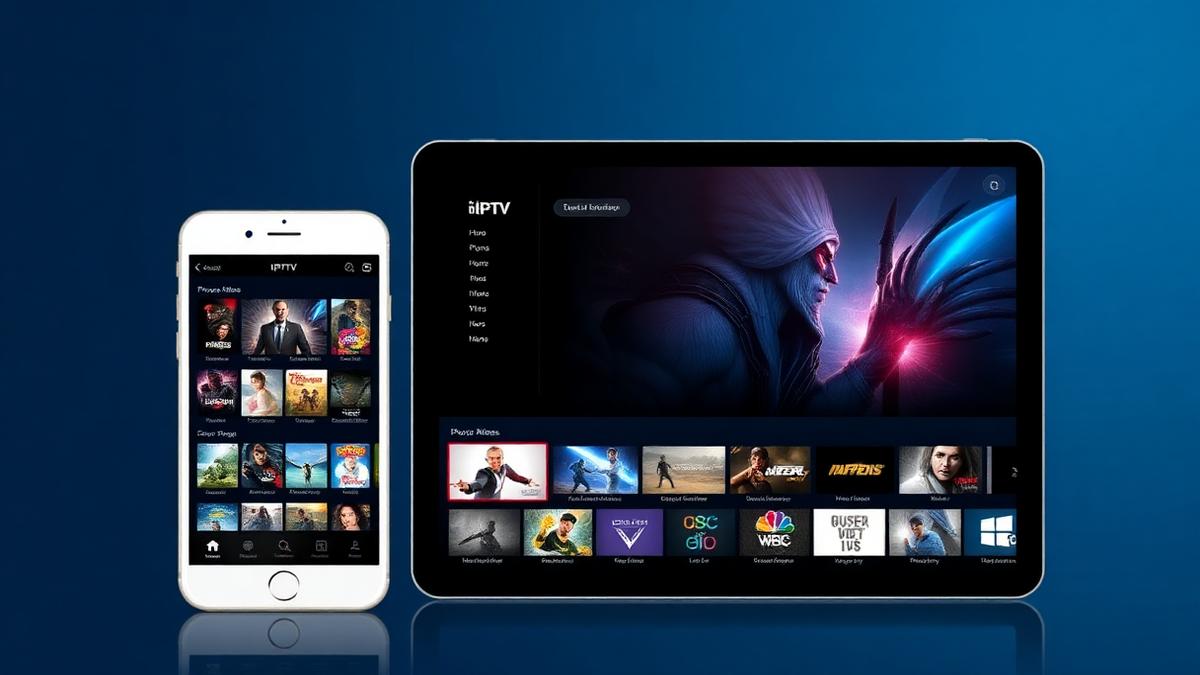
iMPlayer is one of the few IPTV players built specifically for iOS devices. iPhone and iPad users have limited IPTV app choices. iMPlayer fills that gap with M3U and Xtream Codes support, a clean interface, and reliable playback. This review covers everything you need to know before downloading it.
💡 Key Takeaways
- iMPlayer is available on iPhone, iPad, and Apple TV.
- Supports M3U, Xtream Codes, and Stalker portal formats.
- Free version available with a premium upgrade option.
- EPG TV guide with grid layout included.
- One of the best iOS IPTV player options in 2026.
📌 Disclaimer
What Is iMPlayer?
iMPlayer is an IPTV media player designed for Apple devices. It lets you watch live TV channels, movies, and series using your IPTV subscription. The app is available on the App Store for iPhone, iPad, and Apple TV.
Finding a good IPTV player for iOS is harder than on Android. Most popular players like TiviMate are Android-only. iMPlayer gives iOS users a dedicated option with proper EPG support and multiple playlist formats.
If you already own an Apple TV, check our Apple TV IPTV setup guide for more player options on that platform.
Interface & Design
The interface follows Apple's design guidelines. It looks clean, modern, and native to iOS. Navigation is smooth with tab-based menus at the bottom of the screen.
- Home screen: Shows favorites, recently watched, and quick access to live TV.
- Channel list: Groups channels by category with search and filters.
- EPG view: Grid-style TV guide showing current and upcoming programs.
- Player screen: Full-screen playback with gesture controls for volume and brightness.
The design feels polished. It integrates well with iOS features like Dark Mode, AirPlay, and Picture-in-Picture. The app looks right at home on any Apple device.
💡 Tip
Key Features
iMPlayer packs solid features for an iOS IPTV player. Here are the highlights:
- Multi-playlist support: Add and manage multiple IPTV subscriptions.
- EPG TV guide: Full electronic program guide with grid layout.
- Favorites system: Bookmark channels for quick access.
- AirPlay casting: Stream from iPhone or iPad to Apple TV or AirPlay speakers.
- Picture-in-Picture: Watch in a floating window while multitasking.
- Parental controls: Lock specific channels with a PIN code.
- Auto-reconnect: Automatically reconnects if the stream drops.
- Subtitle support: Built-in subtitle rendering for VOD content.
The AirPlay feature makes iMPlayer especially useful. You can start watching on your iPhone and cast to your TV seamlessly. This works well with the Mac IPTV setup workflow too.
Playlist & Format Support
iMPlayer supports the three main IPTV connection formats:
| Format | Supported | Notes |
|---|---|---|
M3U / M3U8 | Paste URL or load from file | |
Xtream Codes API | Username/password login | |
Stalker Portal | MAC-based portal access | |
JSON Playlist | Not supported |
Stalker portal support is a nice bonus. Many iOS players only handle M3U and Xtream Codes. If your provider uses a MAG portal format, iMPlayer can handle it on your iPhone.
Streaming Performance
Streaming quality is solid on iMPlayer. Apple devices have powerful hardware, so video decoding is smooth even at high resolutions.
- Channel load time: 1-3 seconds on Wi-Fi.
- 4K support: Yes, on compatible devices (iPhone 12+ and Apple TV 4K).
- Codec support: H.264, H.265/HEVC.
- Buffer handling: Auto-adjusts based on connection speed.
- AirPlay quality: Maintains HD/4K quality when casting.
On a stable Wi-Fi connection, buffering is rare. The auto-reconnect feature helps when signal dips happen. For best results, use a 5 GHz Wi-Fi band or Ethernet adapter on Apple TV.
💡 Speed Tip
Device Compatibility
iMPlayer works exclusively on Apple devices:
- ✅ iPhone (iOS 14+)
- ✅ iPad (iPadOS 14+)
- ✅ Apple TV (tvOS 14+)
- ✅ AirPlay to any compatible TV or speaker
- ❌ Android phones and tablets
- ❌ Amazon Firestick
- ❌ Windows PC
- ❌ Samsung / LG Smart TVs
For Android devices, check our best Android TV IPTV apps guide. For Firestick users, see the Firestick IPTV setup tutorial.
Pricing & Plans
iMPlayer uses a freemium model. The free version works but has limits:
| Feature | Free | Premium |
|---|---|---|
Playlists | 1 playlist | Unlimited |
EPG | Basic | Full grid view |
Ads | Yes | No ads |
AirPlay | ||
PiP Mode | ||
Parental Controls | ||
Price | Free | $4.99/year |
At $4.99 per year, the premium upgrade is affordable. It removes ads, unlocks multi-playlist, and adds PiP mode. For iOS users, it's one of the cheapest IPTV player upgrades available.
Pros & Cons
✅ Strengths
- Native iOS app with polished design
- Supports M3U, Xtream Codes, and Stalker portal
- AirPlay and Picture-in-Picture support
- Good EPG with grid layout
- Affordable premium at $4.99/year
- Works on iPhone, iPad, and Apple TV
- Auto-reconnect for dropped streams
⚠️ Weaknesses
- Apple devices only — no Android or Windows
- No DVR or recording feature
- Free version has ads
- Smaller community than TiviMate or Smarters
- No external player support (VLC, MX Player)
iMPlayer vs Alternatives
How does iMPlayer compare to other iOS-compatible IPTV players?
| Feature | iMPlayer | IPTV Smarters | GSE Smart IPTV | VLC |
|---|---|---|---|---|
iOS App | ||||
EPG Guide | ||||
Stalker Portal | ||||
AirPlay | ||||
Multi-Playlist | ||||
Price | $4.99/yr | Free | $5.99 | Free |
Best For | iOS power users | Beginners | Chromecast | Basic playback |
For more iOS IPTV comparisons, read our XCIPTV vs GSE comparison and Perfect Player vs VLC guide.
Final Verdict
iMPlayer is the best dedicated IPTV player for iOS in 2026. It supports all major playlist formats, has a clean native design, and costs very little for premium features. If you use an iPhone, iPad, or Apple TV for IPTV, this is the app to get.
Who should use iMPlayer?
- iPhone and iPad users who want a proper IPTV player.
- Apple TV owners looking for an alternative to AirPlay workarounds.
- Users with Stalker portal subscriptions on iOS.
- Anyone who values a clean, native iOS experience.
Who should look elsewhere?
- Android users — try the best free IPTV players instead.
- Users who need DVR recording — TiviMate Premium on Android is better.
- Budget users who want everything free — IPTV Smarters has a fully free iOS app.
Pair iMPlayer with one of the top-rated IPTV services for the best experience.
📊 Our Rating
The best iOS IPTV player available. Loses points only for limited platform availability and missing DVR. Excellent value at $4.99/year.
Frequently Asked Questions
🔥 Find the Best Provider for iMPlayer
All top-rated IPTV providers work with iMPlayer on iOS. Compare features and pricing.
Browse Provider ReviewsFind the Right IPTV Provider
Our expert team has reviewed and ranked the top 20 IPTV services for 2026. Compare features, pricing, and performance to make an informed decision.
Independent reviews • Updated for 2026
Written by
IPTV Reviews Team
Our team of streaming experts is dedicated to helping you find the best IPTV solutions. With years of experience in the industry, we provide in-depth guides, reviews, and tutorials.
You Might Also Like
Best Free IPTV Players 2026: Top 10 Ranked
Top 10 free IPTV players ranked. VLC, TiviMate, Kodi, Smarters Pro, and OTT Navigator compared across all devices.
Apple TV IPTV Guide: AirPlay & Apps Setup
Complete guide to IPTV on Apple TV using App Store apps and AirPlay. IPTV Smarters, GSE Smart IPTV, and iPlayTV compared.
Best IPTV Service Providers (2026) — Top 20 Tested
Discover the top 20 IPTV providers in 2026. Compare features, pricing, and channels. Find the perfect streaming service for your needs. Updated reviews.