Best Free IPTV Players 2026: Top 10 Ranked
Top 10 free IPTV players ranked. VLC, TiviMate, Kodi, Smarters Pro, and OTT Navigator compared across all devices.
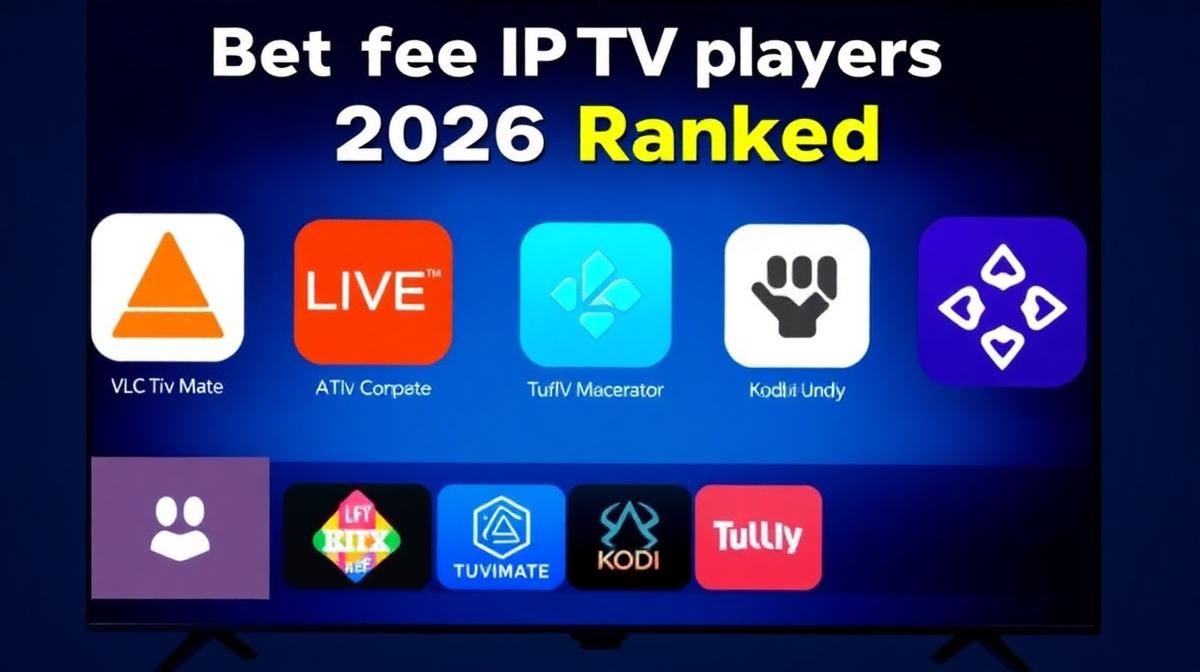
You don't need to pay for an IPTV player app. Several free options deliver excellent performance for live TV, VOD, and series streaming. This guide ranks the best free IPTV players for 2026 across all devices. Each one has been tested for speed, EPG support, and reliability.
💡 Key Takeaways
- VLC Media Player is the best all-around free IPTV player for any device.
- TiviMate free tier works great on Firestick and Android TV.
- Kodi offers the most customization with add-ons.
- IPTV Smarters Pro is the easiest to set up.
- OTT Navigator is a hidden gem with powerful playlist management.
📌 Disclaimer
What Are Free IPTV Players?
Free IPTV players are apps that let you watch live TV streams on your device. They don't provide channels themselves. Instead, they connect to your IPTV provider using an M3U URL or Xtream Codes login. Think of them as a TV remote — they need a signal source to work.
Most free players support EPG (Electronic Program Guide), catch-up TV, and multiple playlist formats. Some even offer recording features. The best part? You don't need to spend a dime on the app itself.
If you're new to IPTV, start with our complete guide to IPTV to understand how it works.
Top 10 Free IPTV Players Ranked
We tested dozens of free IPTV players across Firestick, Android TV, Windows, Mac, and Linux. Here are the top 10 ranked by performance, features, and ease of use.
1. VLC Media Player — Best Overall Free Player
VLC is the most versatile media player ever made. It runs on every platform: Windows, Mac, Linux, Android, and iOS. It handles M3U playlists natively and plays nearly every video codec without extra downloads.
Pros
- 100% free and open source
- Works on all platforms
- Plays every codec and format
- No ads or tracking
- Lightweight and fast
Cons
- No built-in EPG support
- Basic playlist management
- Not designed specifically for IPTV
VLC is ideal for users who want a simple, reliable player. For desktop streaming, check our Windows IPTV players guide or Mac IPTV setup guide for step-by-step instructions.
2. TiviMate (Free Tier) — Best for Firestick
TiviMate's free version is surprisingly capable. It offers a clean, TV-optimized interface with EPG support. The free tier limits you to one playlist and disables recording. But for casual viewers, it's excellent.
Pros
- Beautiful TV-friendly interface
- Built-in EPG with grid layout
- Smooth channel switching
- Optimized for remote control
Cons
- Limited to one playlist (free)
- No recording in free version
- Android TV / Firestick only
Want to compare TiviMate with other apps? See our TiviMate vs IPTV Smarters comparison.
3. Kodi — Best for Customization
Kodi is a powerful, open-source media center. With IPTV add-ons like PVR IPTV Simple Client, it becomes a full-featured IPTV player. Kodi supports EPG, recording, and thousands of skins and extensions.
Pros
- Highly customizable with add-ons
- Full EPG and DVR support
- Works on all platforms
- Active community and updates
Cons
- Steeper learning curve
- Setup takes longer
- Can feel heavy on older devices
Kodi works great on Linux too. See our Linux IPTV guide for setup instructions.
4. IPTV Smarters Pro — Easiest to Use
IPTV Smarters Pro is the most beginner-friendly player. It supports Xtream Codes login, which means you just enter a username, password, and server URL. No playlist files needed. It works on Android, iOS, and Windows.
Pros
- Very easy Xtream Codes setup
- Cross-platform (Android, iOS, Windows)
- Clean, modern interface
- Multiple playlist support
Cons
- Contains ads in free version
- No DVR recording
- EPG less detailed than TiviMate
5. OTT Navigator — Best Hidden Gem
OTT Navigator is underrated. It supports M3U, Xtream Codes, and Stalker portal. The app handles multiple playlists well and has excellent EPG integration. It's free with optional donations.
Pros
- Supports M3U, Xtream, and Stalker portals
- Excellent playlist management
- Good EPG support
- Free with no mandatory purchases
Cons
- Android / Android TV only
- Interface looks dated
- Smaller community than TiviMate
Other notable free players include XCIPTV, GSE Smart IPTV, Perfect Player, Lazy IPTV, and Televizo. For a deeper dive on specific matchups, see our XCIPTV vs GSE comparison and Perfect Player vs VLC guide.
Side-by-Side Comparison
Here's how the top 5 free IPTV players compare on key features.
| Feature | VLC | TiviMate Free | Kodi | Smarters Pro | OTT Navigator |
|---|---|---|---|---|---|
EPG Support | |||||
M3U Playlist | |||||
Xtream Codes | |||||
DVR Recording | |||||
Multi-Platform | |||||
Ads | |||||
Best For | Desktop / Simple | Firestick / TV | Power Users | Beginners | Multi-Playlist |
How to Choose the Right Player
The best free IPTV player depends on your device and needs. Here are quick recommendations:
- Firestick or Android TV: Use TiviMate (free) for the best TV experience.
- Windows PC: VLC for simplicity, Kodi for features. See our full Windows player guide.
- Mac: VLC is the top choice. Read our Mac IPTV setup guide.
- Linux: VLC, Kodi, or Hypnotix. See our Linux streaming guide.
- iPhone / iPad: IPTV Smarters Pro or GSE Smart IPTV.
- Multiple providers: OTT Navigator handles multiple playlists best.
💡 Pro Tip
Quick Setup Tips
Setting up any free IPTV player is straightforward. Follow these steps:
- Get your credentials — Your IPTV provider will give you an M3U URL or Xtream Codes login.
- Download the player — Install from Google Play, App Store, or the official website.
- Enter your details — Paste the M3U URL or enter username/password.
- Load the EPG — Add the EPG URL from your provider for the TV guide.
- Start watching — Browse channels and enjoy.
For device-specific setup instructions, check our guides for Firestick, Samsung Smart TV, Roku, and Apple TV.
Frequently Asked Questions
🔥 Find the Best IPTV Provider for Your Player
Compare the top 20 IPTV services. All work with every free player listed above.
Browse Provider ReviewsFind the Right IPTV Provider
Our expert team has reviewed and ranked the top 20 IPTV services for 2026. Compare features, pricing, and performance to make an informed decision.
Independent reviews • Updated for 2026
Written by
IPTV Reviews Team
Our team of streaming experts is dedicated to helping you find the best IPTV solutions. With years of experience in the industry, we provide in-depth guides, reviews, and tutorials.
You Might Also Like
TiviMate vs IPTV Smarters Pro: Which Is Better?
Side-by-side comparison of TiviMate and IPTV Smarters Pro. EPG, DVR, device support, and pricing compared.
Windows IPTV Players: Best Software for Streaming in 2026
Best IPTV players for Windows PC. VLC, IPTV Smarters Pro, Kodi, and more compared with step-by-step setup guides.
Best IPTV Service Providers (2026) — Top 20 Tested
Discover the top 20 IPTV providers in 2026. Compare features, pricing, and channels. Find the perfect streaming service for your needs. Updated reviews.